


Gencraft - AI Art Generator
3.41.25K Reviews
App Specs
- Version
- 1.5.3
- Updated On
- License
- Free
- Downloads
- 5,000,000+
- Developer
- Gencraft
- Categories
- Art & Design
- Platform
- Android, iOS
Screenshots

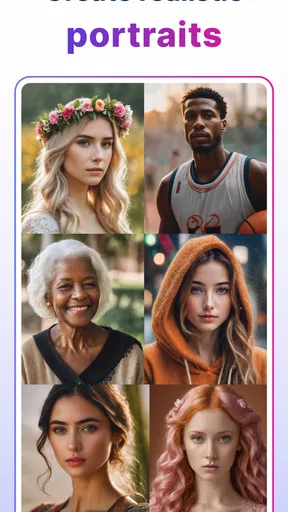
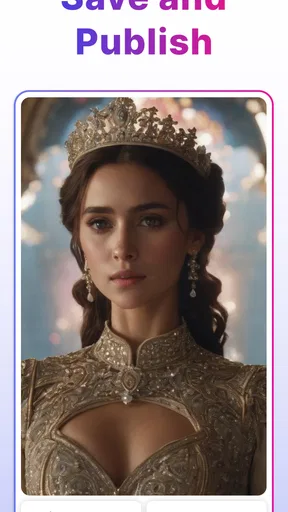
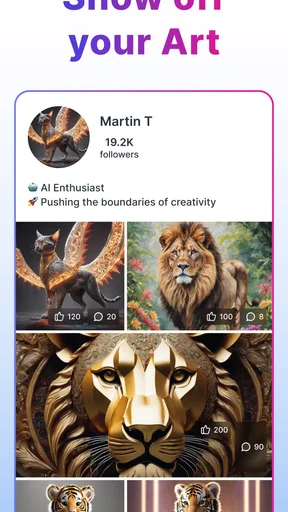
 Analysis by AppCompare
Using an AI art app on a shared tablet sounds simple until several people want to make something different with it. I think Gencraft - AI Art Generator is most appealing in that casual setting: someone can suggest an idea, another person can try describing it, and the result becomes a small creative activity rather than a lesson in drawing software. It is an art and design app from Gencraft, available for free, with optional in-app purchases. That low-friction starting point makes it easy to try, though shared use also calls for a little care around whose account and creations are on screen.
A creative break that works for a shared device
Picture a quiet afternoon when a household is deciding what to put on a handmade card or a bedroom inspiration board. One person might ask for a moonlit garden, while someone else tries a more playful version with bright colors. In a text-to-image workflow, the fun is partly in seeing how a short description turns into an image, then adjusting the wording to steer the next attempt. I’d use it as a prompt for conversation and experimentation, not as a guaranteed way to get a polished design on the first try.
That distinction matters when more than one person is taking turns. The person holding the phone can end up making all the choices, so it helps to agree on the idea before entering a prompt. For a group activity, I’d let each person contribute one detail—setting, mood, or subject—then combine them. It gives everyone a role without turning the app into a competition over who can write the longest description.
Separate creative turns from account decisions
Before handing a device to someone else, I’d check which account is open and whether the screen shows work or profile details I’d rather keep private. A shared device does not automatically mean a shared account should be used for every person. If different household members want separate creative spaces, decide how to handle that before they start saving or sharing images. I wouldn’t assume the app provides family profiles or parental controls; the sensible boundary is to supervise the device and make account choices deliberately.
There is also a practical difference between making an image for fun and preparing something for a real task. A quick concept for a party invitation can be useful as inspiration, but I would review the result carefully before printing or sending it. AI images can interpret a prompt in unexpected ways, and a small detail that looks amusing on screen may matter more on a card or poster. Keeping the first attempt as a draft makes it easier to revise without treating the output as finished artwork.
Coordinate prompts, expectations, and sharing
When several people are involved, prompt wording becomes a surprisingly useful skill. I’d start with the core subject and mood, then add only a couple of details. If the result misses the point, change one part at a time rather than rewriting everything; that makes it easier to see which instruction helped. This is a more reliable group workflow than adding a long list of conflicting requests, especially when one person wants a realistic scene and another wants a cartoon look.
Decide where an image is going before anyone shares it. A private family joke, a school project idea, and a public social post call for different levels of review. I’d avoid putting identifying personal details into a creative prompt, and I’d ask before posting an image that another household member helped make. The social side can be a source of inspiration, but sharing should be a choice rather than the assumed next step.
Worth Reading Before You Choose

EA SPORTS FC Mobile 26 Is a Bigger Football Game, but It Takes Time

Flipboard Shows What News Apps Must Do Beyond the Feed

Switching to Android Auto Means Rethinking Your Driving Routine

Google Calendar Makes a Crowded Week Easier to Manage

Ludo King Makes the Most of the Minutes Between Plans

Baby Panda World Brings Quick Play to Modern Phones, but Its Game Library Feels Busy
Teen rating and a sensible level of trust
The app carries a Teen content rating, so I would not treat it as an automatically suitable activity for every younger child simply because the interface feels approachable. A parent or caregiver should make the call for their own household and stay involved when a younger user is exploring an image-generation tool. That can mean agreeing on themes, taking turns nearby, and talking through anything in a generated image that feels inappropriate or confusing.
Its audience figures suggest that many people have tried it, but popularity alone does not tell me whether it suits a particular family. It has over five million installs and an average rating of 3.4 from around twenty-four thousand ratings, with about twelve hundred written reviews. I read that middling score as a reason to set realistic expectations: this may be enjoyable for casual experiments, but not everyone will like the results or the experience enough to keep using it.
First Impressions and Interface
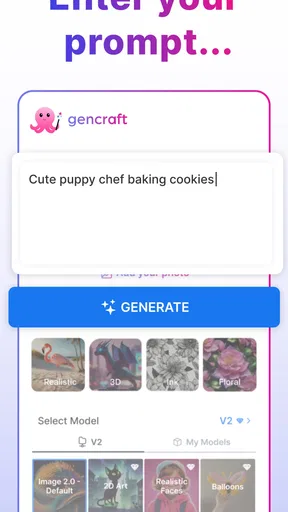
When I first opened Gencraft - AI Art Generator, I was greeted by a sleek and intuitive interface. It's like the app read my mind and knew I wanted something straightforward. You don’t need to be a tech wizard to navigate through it, which is a huge plus in my book. The main screen offers a clear pathway to start your artistic journey, with options to choose styles, colors, and even some preset themes.
Getting Creative with AI
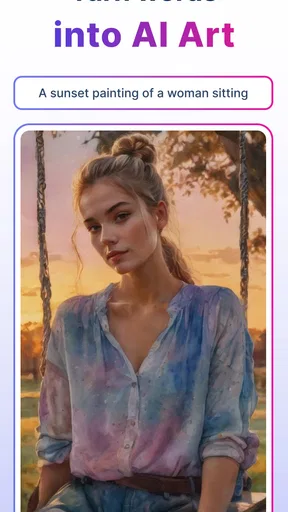
Now, let’s talk about the real magic—how the app uses artificial intelligence to transform your ideas into art. I started by simply typing a few words describing what I had in mind, and the app’s AI engine took over from there. It’s like having your own personal artist, but without the need to provide coffee breaks!
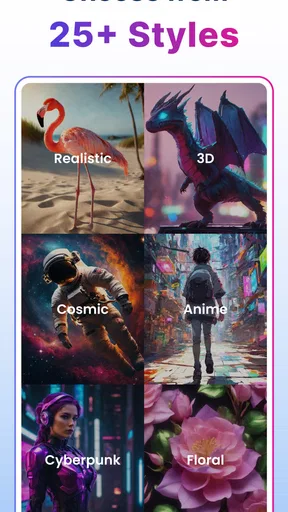
The app offers a variety of styles to choose from, whether you’re into abstract, landscape, or even something a bit more avant-garde. I tested a few different options, and each time, the results were unique and captivating. The AI adapts its techniques based on your input, making each piece feel tailored just for you.
Features That Stand Out
There are some standout features in Gencraft - AI Art Generator that really impressed me. For starters, the app allows for customization beyond just styles and colors. You can tweak specific elements of your artwork, giving you a sense of control over the creative process. It’s like having a collaboration with the AI, where you guide and it follows.
Another cool feature is the ability to save your creations in high resolution. This means your digital masterpieces are ready to be printed and framed or shared across your social media platforms. Trust me, your Instagram followers will be blown away!
Ease of Use and Accessibility
One of the key things I look for in any app is how accessible it is for the average user. Gencraft scores high in this category. The app doesn't require any prior knowledge of art or design, which makes it perfect for beginners and experienced artists alike. Plus, it’s available on both Android and iOS, so no matter what device you’re using, you’re covered.
And let’s not forget about the community aspect. The app includes a platform where users can share their creations, draw inspiration, and even collaborate with others. It’s a vibrant space that fosters creativity and connection.
Choosing it for the right job
I see this app as a better fit for visual brainstorming than for precise design work. If I need a quick mood image for a story, a playful concept for a personal project, or a starting point for a conversation about colors and atmosphere, generating several interpretations can be more useful than staring at a blank page. For a logo, a diagram, or a layout that must follow exact brand rules, I’d reach for a conventional design editor instead. Those tools give me direct control over typography, alignment, and individual shapes; image generation is strongest when exploration matters more than exactness.
Compared with other AI image generators, the appeal here is the combination of prompt-led creation, style choices, customization, and a social creative space. That mix suits people who want to browse ideas as well as make their own. The trade-off is that a social feed can distract from a focused task, and generated images may need several prompt adjustments before they feel close to the brief. If I wanted to control every brushstroke, I would choose a drawing app; if I wanted a quick visual direction, this is the more natural kind of tool.
A useful habit is to treat prompts like a small design brief. Name the subject first, then describe the mood and setting, and only afterward add details that truly matter. If a result is nearly right, I’d change just one phrase on the next attempt. This makes the process easier to learn and prevents a prompt from becoming a pile of contradictory instructions. I’d also keep a short note of wording that produced a look I liked, especially when returning to a project after a break.
Costs, expectations, and everyday usefulness
Gencraft is free to start, with in-app purchases ranging from $2.99 to $19.99 per item. I’d explore the free experience before spending anything and decide whether the app’s results fit my actual needs. A purchase makes more sense to me when I already know I’ll use the app regularly; it is harder to justify for a single novelty image. The app is currently at version 1.5.2 and supports Android 7.0 or later, details worth checking against an older device before planning to use it on a hand-me-down phone or tablet.
For an everyday example, I might be planning a small get-together and want a visual theme for a homemade invitation. I could try a prompt for a cozy evening scene, see whether the palette feels right, and use the image as inspiration while making the actual invitation in a layout app. That division of labor plays to Gencraft’s strengths: it can help me get unstuck, while a separate editor handles exact text and placement. I would not count on generated lettering being suitable for a finished invitation without checking it closely.
The app is a good match for curious beginners, casual creators, and people who enjoy testing visual ideas without learning a full illustration program. It is less suitable for someone who needs repeatable, pixel-precise output, wants to draw manually, or expects every prompt to produce a ready-to-publish image. The average rating of 3.4 is another nudge to approach it as an experiment rather than a dependable production tool. My advice is to judge it by whether the process gives you useful ideas, not just by whether the first image looks perfect.
Final Thoughts
In conclusion, Gencraft - AI Art Generator is more than just an app; it's a gateway to unleashing your inner artist. The combination of intuitive design, powerful AI capabilities, and a supportive community makes it a must-have for anyone interested in digital art. Whether you're looking to create a masterpiece or just want to have some fun exploring new styles, Gencraft has got you covered.
So, if you’re ready to dive into the world of AI art, give Gencraft a try. You might just surprise yourself with what you can create!
For a household, I’d keep the recommendation modest and practical: it can turn shared curiosity into an enjoyable creative session, provided an adult sets sensible boundaries for younger users and everyone knows whether an image is staying private or being shared. For a solo creator, it is worth trying when you want inspiration more than exact control. I would skip it for tightly specified professional artwork, but for playful drafts and visual exploration, it offers a low-barrier place to begin.
Pros
- Easy to use interface for all skill levels.
- Wide range of artistic styles available.
- Quick generation of art pieces.
- High-resolution output options.
- Regular updates with new features.
Cons
- Limited free features; subscription needed.
- Occasional glitches in image rendering.
- Requires a stable internet connection.
- Some styles lack customization options.
- Ads can be intrusive in free version.
FAQs for Gencraft - AI Art Generator
What is Gencraft - AI Art Generator and how does it work?
Gencraft is an innovative app that uses AI technology to generate unique pieces of art. By inputting specific parameters or choosing from preset styles, users can create digital art with minimal effort. The AI algorithm analyzes these inputs and renders art that can be saved or shared directly from the app.
Is Gencraft suitable for professional artists or is it more for casual users?
Gencraft is designed to appeal to both professional artists and casual users. Professionals can use it to explore new creative ideas and styles, while casual users can enjoy the fun of creating art without needing advanced skills. The app’s intuitive interface makes it accessible to all levels of expertise.
Can I customize the artwork generated by Gencraft?
Yes, Gencraft allows users to customize their artwork extensively. You can choose different styles, color palettes, and other parameters to influence the final output. This customization feature enables users to have a personalized touch in every piece of art they generate, ensuring a unique result every time.
Are there any in-app purchases or subscriptions required to use Gencraft?
Gencraft offers a free version with basic features, but there are also in-app purchases available for users who want access to premium features. These may include advanced art styles, additional customization options, and ad-free experiences. Subscriptions can enhance the overall functionality of the app.
How does Gencraft ensure the privacy and security of user data?
Gencraft prioritizes user privacy and security by implementing robust data protection measures. The app only collects minimal data necessary for functionality, and all user-generated content is stored securely. Users can review the app’s privacy policy to understand how their data is handled and protected.


